
Configured a DMZ Subnet- Implemented a Secure Web Server in a DMZ for Enhanced Network Protection.
As a Cybersecurity Analyst for a small corporate network, I successfully implemented a web server to host internet-facing services. To safeguard the organization’s critical assets, I designed and deployed a Demilitarized Zone (DMZ) to isolate the server and other related devices from the internal network.
The DMZ, protected by the pfSense Security Gateway Appliance, provided a secure perimeter defense, ensuring controlled access to external-facing resources while minimizing the attack surface for the internal network. Additionally, I enabled DHCP services within the DMZ to dynamically assign IP addresses to devices operating in this zone.
- Configure an interface for the DMZ:
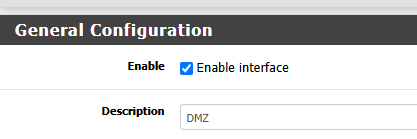
Created an DMZ interface and engabled
Added a Static Ip address
Verified the changes
2. Add a firewall rule to the DMZ interface:
Allowed the traffic pass though the firewall and Created firewall rule from DMZ to any.
4. Configure pfSense’s DHCP server for the DMZ interface:
Enable DHCP server in the DMZ to handout Dynamic IP addresses.
Specified IP address Range..
This is a DMZ interface configuration.
Enabling DHCP server on the DMZ interface.

The DMZ is vital for network segmentation, isolating internet-facing services to protect the internal network. Using pfSense, I configured a DMZ with a static IP, enabled DHCP for dynamic addressing, and implemented firewall rules to control traffic, ensuring secure access while minimizing risks.
Remote Access VPN
In this section, we will discuss Remote Access VPN, and I used the pfSense wizard to create and configure an OpenVPN Remote Access server.
As a cybersecurity analyst for a small corporate network, occasionally, you need to connect to the corporate network remotely to analyze and address critical tasks. OpenVPN provides a secure and encrypted solution, enabling seamless remote access to internal systems while maintaining the integrity and confidentiality of the network.
- Start the VPN wizard and select the authentication backend type.
- Create a new certificate authority certificate.
- Create a new server certificate.
- Configure the VPN server.
- Configure the firewall rules.
- Configure the following Standard VPN users.
- Set the OpenVPN server just created to Remote Access (User Auth)
- Configure the following Standard VPN users.
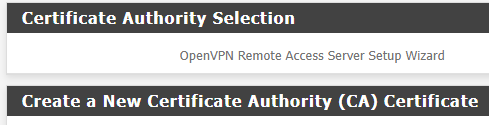
OpenVPN is a secure solution for encrypted remote access, enabling cybersecurity analysts to ensure that employees can safely access resources within corporate environments from any location while protecting sensitive data and maintaining network integrity.